
4.1. Build
The images of the different microservices to be used by the Dx29 application will be created with Docker. That is, each functionality is going to be packaged in different containers where we can host all the dependencies that our application needs to be executed: starting with the code itself, the system libraries, the execution environment or any kind of configuration. From outside the container, we don’t need much more.
Containers represent a logical packaging mechanism where applications have everything they need to run. Describing it in a small configuration file. With the advantage of being able to be easily versioned, reused and replicated by other developers or by system administrators who have to scale those applications without needing to know internally how our application works. The Docker file will be enough to adapt the execution environment and configure the server where it will be scaled. From this file, an image can be generated that can be deployed on a server in seconds.
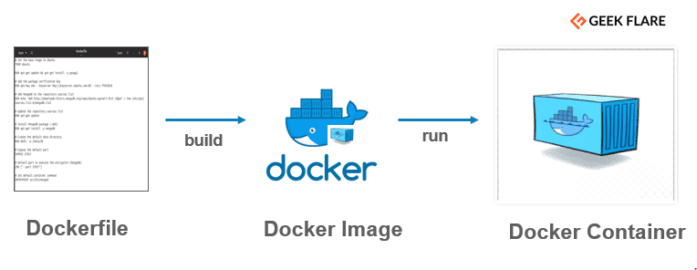
Docker builds images automatically by reading the instructions from a Dockerfile – a text file that contains all commands, in order, needed to build a given image.
A Dockerfile adheres to a specific format and set of instructions.
A Docker image consists of read-only layers each of which represents a Dockerfile instruction. The layers are stacked and each one is a delta of the changes from the previous layer.
Consult the following links to work with Docker:
These are the main steps to create the Docker images, starting from the branch of the project appropriate to the environment we want to compile (develop or main):
The first step is to run docker image build. We pass in . as the only argument to specify that it should build using the current directory. This command looks for a Dockerfile in the current directory and attempts to build a docker image as described in the Dockerfile. docker image build .
If Dockerfile takes arguments such as ARG app_name, you can pass those arguments into the build command: docker image build --build-arg "app_name=MyApp" .
If you want to build the app from a different directory than the current on, or if you are managing multiple Dockerfiles in separate directories for different applications which share some common files: Use the -f flag, to specify which dockerfile to build with: docker image build -f "MyApp/Dockerfile" .
After the docker image has been built, we will then need to tag your image. Tagging is very important in a docker build and release pipeline since it is the only way to differentiate versions of the application. It is common practice to tag your newest images with the latest tag, but this will be insufficient for deploying to Kubernetes since you have to change the tag in the Kubernetes configuration to signal that a new image should be ran. Because of this, in Dx29 projects for test and production environments we must tagging the latest tag of the main branch with the git commit tag with the same version. This way we can tie the docker images back to version control to see what has actually been deployed, and we have a unique identifier for each build. docker image tag $IMAGE -t $VERSION .
All these commands can be unified: docker image build -f "MyApp/Dockerfile" -t $VERSION.
Here you can consult the Docker commands guide.
Each of the Dx29 projects will have its Dockerfile configured with the necessary parameters to run itself as a Docker container.